
- EN
Select Language
- Search
Detailed search: You can do a detailed search by keyword, genre, time, area and tag.
- Share this page
Share this page
- FAVORITES
Main content starts here.
- Visit Tokyo |
- EXPERIENCES |
- Getting Around |
- Online Tourist Guide: “Tokyo Navigation AI”
Updated: April 1, 2026
Online Tourist Guide: “Tokyo Navigation AI”
Get free Tokyo sightseeing advice from the comfort of your own home or travel destination!
We provide online travel information for visitors from both within Japan and abroad.
Tokyo Navigation AI EDO, highly knowledgeable about Tokyo tourism, is available 24/7 to support your journey anytime, anywhere.
Easily consult via your smartphone or PC—make this reliable travel partner a part of your trip!
*The service is free of charge, but users are responsible for any internet or data charges that may apply.
Tokyo Navigation AI EDO

Our latest AI Concierge, trained on Tokyo tourism information,
provides guidance via voice or chat.


- Available 24/7, anytime, anywhere
- Choose your preferred style: voice or text
- When you want to casually ask about Tokyo sightseeing
- Simple to use! No app needed—available instantly via your browser
Supported Languages
| Voice and text | Japanese, English, Chinese (Simplified/Traditional), and Korean |
| Text only | Supports over 50 languages, including the above 4 languages and 5 varieties (French, German, Italian, Thai, etc.) |
*Additional languages may be added in the future.
Hours of Operation:
24 hours
*This service provides automated responses by AI. Please note the following when using the service:
・The accuracy and completeness of responses are not guaranteed.
・Do not enter personal or confidential information.
Service details
Tokyo Navigation AI EDO
Tokyo Navigation AI EDOHow to Use

Wondering about where you should go sightseeing in Tokyo?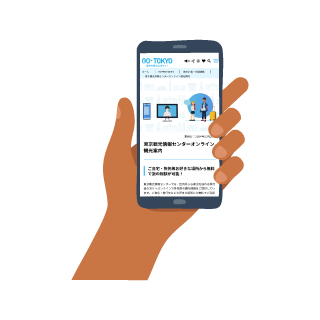
Access the Tokyo Navigation AI
Start a conversation with Tokyo Navigation AI EDO
You can get travel advice
Tokyo Navigation AI EDOMain Services Offered





Access the mobile version here!

Recommended System:
The supported browsers are as follows. Using an unsupported environment or browser may result in interrupted connections.
| PC(Windows) |
|
| PC(Mac) |
|
| Android |
|
| iOS(iPhone/iPad) |
|
- Older operating system versions may lead to connection issues. Please update to the latest version.
FAQ Tokyo Navigation AI EDO
Q. Is there a fee to use the Tokyo Navigation AI EDO?
A. No, there is no charge for using the service. However, please ensure that you are connected to the internet.
Q. Unable to access Tokyo Navigation AI Edo, or experiencing issues such as no voice playback or other problems.
A. Please check your browser and operating system.
Recommended Environment:
【Browsers】
Computers (Windows/Mac): Google Chrome, Microsoft Edge/Safari iPhone/iPad: Safari, Google Chrome Android: Google Chrome
*Please use the latest version of each browser.
【OS】
Windows 11 or later
MacOS 15 or later
iPadOS 16 or later
iOS 18 or later
Android 16 or later
Q. Is the service available 24 hours?
A. Yes, the service is available 24 hours a day, 365 days a year (except during maintenance).
Q. What should I do if the Tokyo Navigation AI EDO does not respond?
A. Please refresh the page or try again after a short while.
Q. Can I enter personal information?
A. Please do not enter any personal information (such as your name or address). If personal information is entered, it may be used within the scope stated in the Terms of Use and Privacy Policy.
Q. What should I do if the response is incorrect?
A. The Tokyo Navigation AI EDO provides automated responses using AI, so the information may not always be accurate. If you believe a response is incorrect, please let us know by using the feedback button. Also, please note that there may be a delay for the AI to acquire new information, so please check the official website of each facility if necessary.
Q. Can I review my past conversation later?
A. Please note that chat messages of the Tokyo Navigation AI EDO will be deleted if you press your browser’s “back” or “close” button, and you will not be able to review the conversation afterwards. Additionally, if there is no activity for a certain period while the chat screen is open, the session will end automatically. In that case, please restart the chat from the beginning.
Q. What should I do if I want to change the language during a conversation?
A. [For voice and chat]
Use the "Back" button to return to the previous screen, then select your preferred language using the "Language Selection" icon located at the top right corner of the page.
[For chat only]
Responses will automatically be provided in the language you use to type your question, so there is no need to change the settings.
Tokyo has six Tokyo Tourist Information Centers located throughout the city. Feel free to stop by when you're visiting Tokyo.
For more details, please visit the "Tokyo Tourist Information Center" page on this site.


Copyright © Tokyo Convention & Visitors Bureau. All rights reserved.